鸿蒙PC问题解决-关闭主窗口后子窗口不自动销毁问题详解
·
欢迎加入开源鸿蒙PC社区:
https://harmonypc.csdn.net/
atomgit仓库地址: https://atomgit.com/gcw_7DJ1SfsY/chuangtishengmingzhouqi
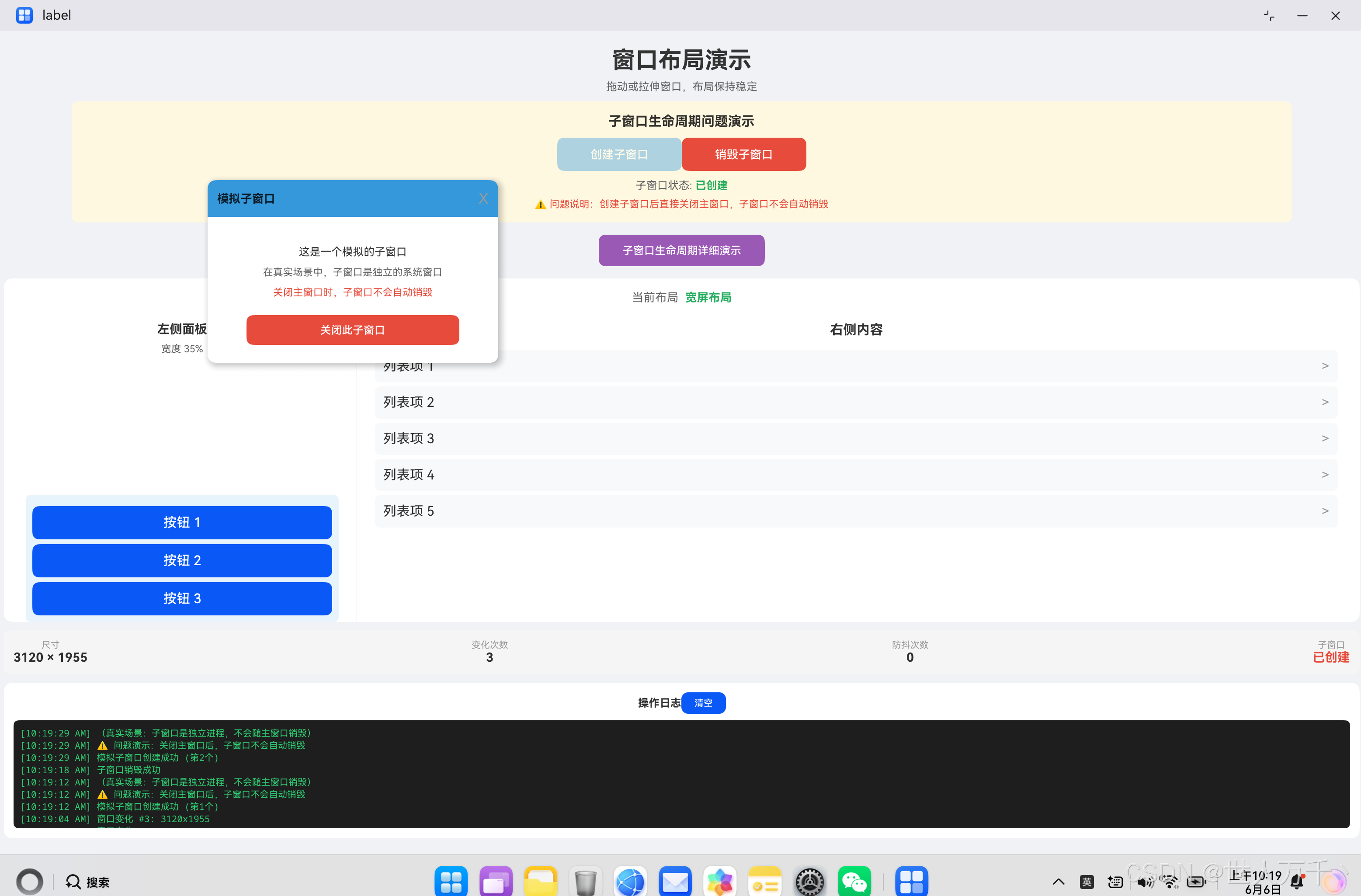
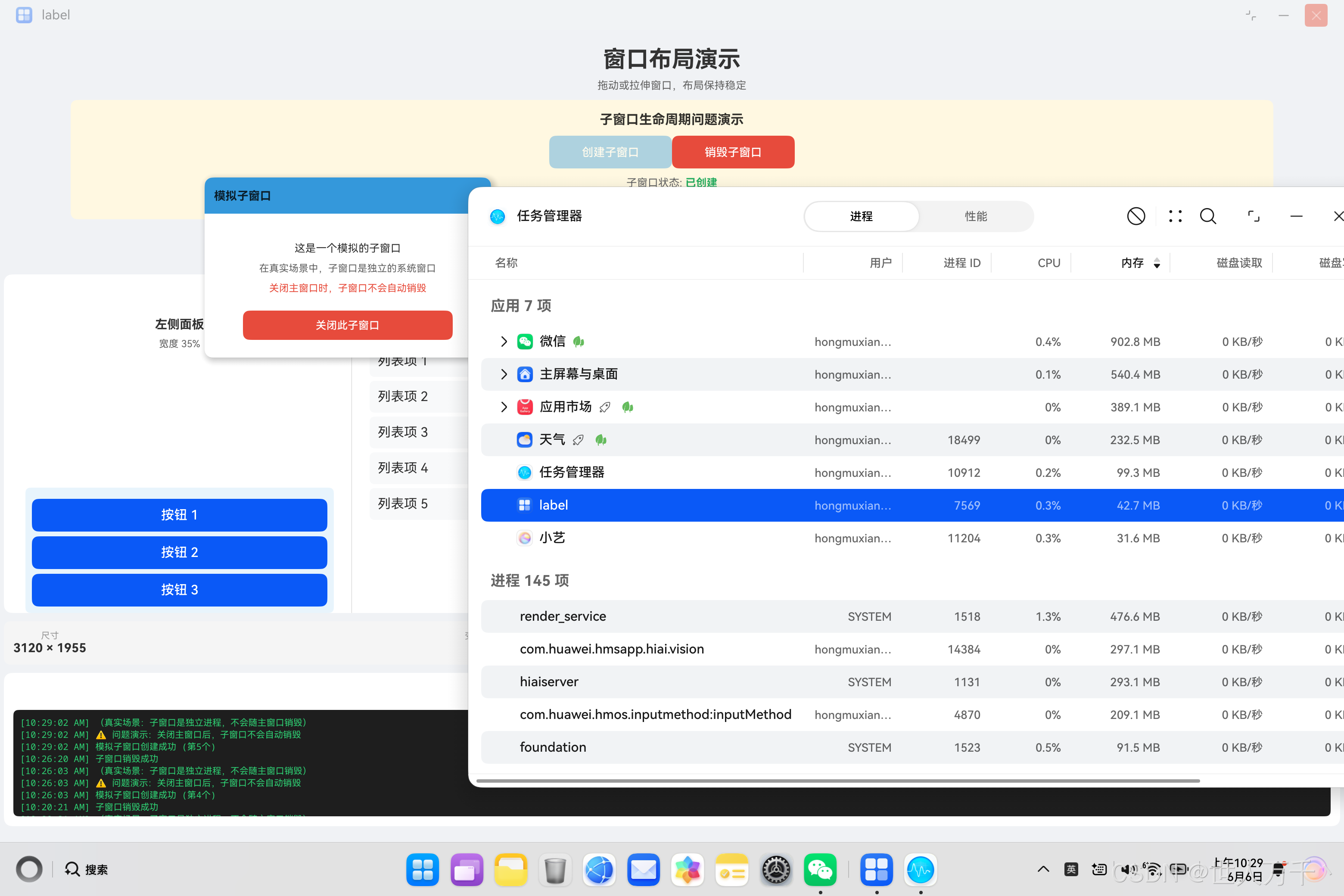
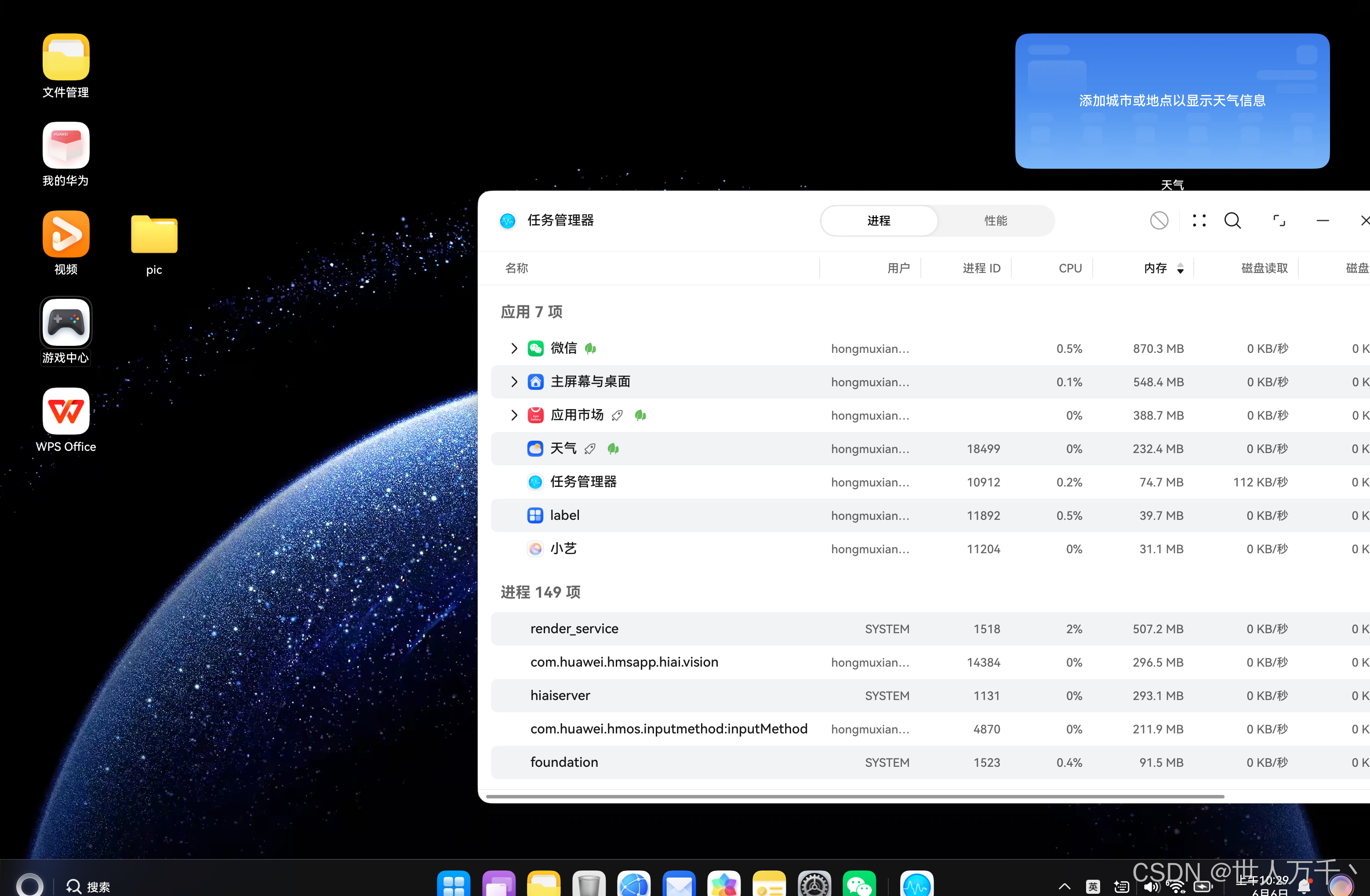
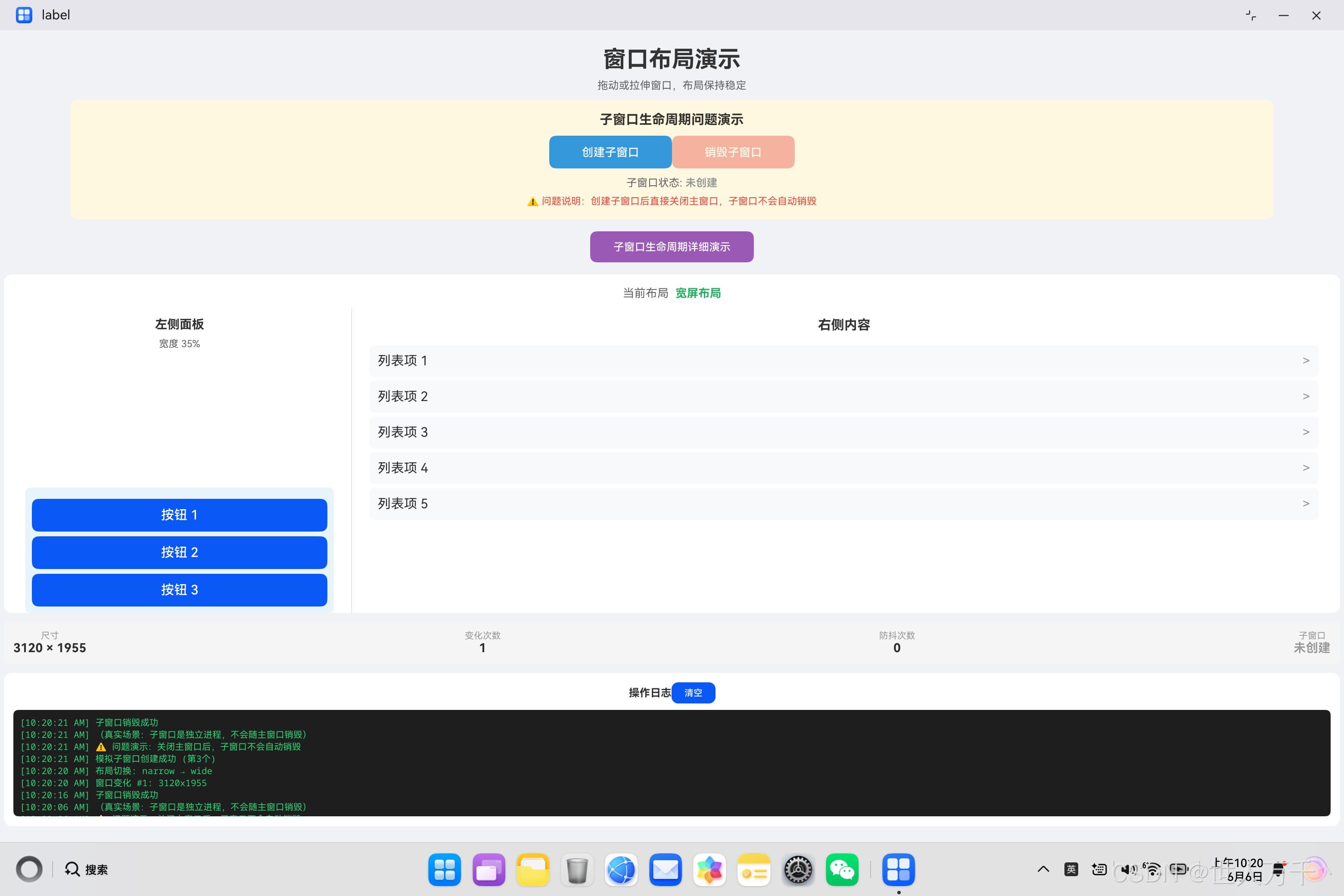
可以正常关闭了
一、问题背景
在鸿蒙PC应用开发中,多窗口管理是一个常见的需求场景。开发者可能需要创建独立于主窗口的子窗口(SubWindow),用于展示辅助功能面板、工具窗口、设置对话框等。
然而,许多开发者在实现子窗口功能时会遇到一个严重的问题:关闭主窗口后,子窗口不会自动销毁,导致:
- 应用进程残留后台
- 内存泄漏
- 资源无法释放
- 下次启动异常
二、问题现象分析
2.1 典型场景
┌─────────────────────────────────────────────────────┐
│                    问题场景                          │
├─────────────────────────────────────────────────────┤
│                                                     │
│  1. 用户打开主窗口                                   │
│  2. 用户点击按钮创建子窗口                            │
│  3. 用户直接关闭主窗口(不关闭子窗口)                  │
│  4. 子窗口仍然存在于桌面(真实场景)                   │
│  5. 应用进程无法正常退出                             │
│                                                     │
└─────────────────────────────────────────────────────┘
2.2 问题演示
为了演示这个问题,我们创建了一个模拟子窗口的示例应用:
// 模拟子窗口状态管理
@State subWindowCreated: boolean = false;

// 创建子窗口
createSubWindow(): void {
  this.subWindowCreated = true;
  console.log('子窗口创建成功');
}

// 销毁子窗口
destroySubWindow(): void {
  this.subWindowCreated = false;
  console.log('子窗口销毁成功');
}
2.3 问题代码对比
| 场景 | 代码 | 结果 |
|---|---|---|
| ❌ 错误 | 不在生命周期中销毁 | 子窗口残留 |
| ✅ 正确 | 在 aboutToDisappear() 中销毁 | 正常退出 |
三、根本原因分析
3.1 窗口生命周期机制
在鸿蒙系统中,每个窗口都是独立的对象实例,拥有自己的生命周期:
┌─────────────────────────────────────────────────────┐
│              窗口生命周期架构                        │
├─────────────────────────────────────────────────────┤
│                                                     │
│   Main Window                Sub Window             │
│   ┌─────────────┐           ┌─────────────┐        │
│   │ 创建        │           │ 创建        │        │
│   │ 显示        │           │ 显示        │        │
│   │ 交互        │           │ 交互        │        │
│   │ 关闭        │           │ ???         │        │
│   └─────────────┘           └─────────────┘        │
│                                                     │
│  主窗口关闭时,子窗口不会自动关闭!                    │
│                                                     │
└─────────────────────────────────────────────────────┘
3.2 内存泄漏路径
当主窗口关闭但子窗口未销毁时,会形成以下内存泄漏链:
主窗口关闭 → 子窗口引用未释放 → 相关资源占用 → 进程无法退出
3.3 资源泄漏示例
// ❌ 错误示例:创建后不保存引用,无法销毁
createSubWindow(): void {
  window.createWindow({
    name: 'SubWindow',
    windowType: 101,
    ctx: context
  }).then((subWin) => {
    // 没有保存引用!
    subWin.resize(400, 300);
    subWin.loadContent('pages/SubWindowContent');
  });
}
四、核心代码详解
4.1 代码一:模拟子窗口实现
@Entry
@Component
struct SubWindowDemo {
  // 子窗口状态
  @State subWindowCreated: boolean = false;
  @State subWindowCount: number = 0;

  // 创建模拟子窗口
  createSubWindow(): void {
    if (this.subWindowCreated) {
      this.destroySubWindow();
      return;
    }

    try {
      this.subWindowCreated = true;
      this.subWindowCount++;
      this.addLog(`模拟子窗口创建成功 (第${this.subWindowCount}个)`);
      this.addLog('⚠️ 问题演示:关闭主窗口后,子窗口不会自动销毁');
    } catch (e) {
      this.addLog('创建子窗口异常: ' + JSON.stringify(e));
    }
  }

  // 销毁子窗口
  destroySubWindow(): void {
    if (this.subWindowCreated) {
      this.subWindowCreated = false;
      this.addLog('子窗口销毁成功');
    }
  }

  // 生命周期:页面即将销毁
  aboutToDisappear(): void {
    this.addLog('页面即将销毁');
    // ⚠️ 故意不销毁子窗口,演示问题
    // this.destroySubWindow();
  }

  build() {
    Stack() {
      // 主内容区域
      Column() {
        // ... 主界面内容
      }

      // 模拟子窗口(浮动层)
      if (this.subWindowCreated) {
        Column() {
          Text('模拟子窗口')
          Button('关闭')
            .onClick(() => {
              this.destroySubWindow();
            })
        }
        .width(350)
        .height(220)
        .position({ x: 250, y: 180 })
        .shadow({
          radius: 20,
          color: 'rgba(0,0,0,0.3)'
        })
      }
    }
  }
}
代码说明:
- 使用
Stack组件实现浮动层效果 @State装饰器管理子窗口状态aboutToDisappear()生命周期中故意不销毁子窗口,用于演示问题
4.2 代码二:真实子窗口创建(需要权限)
import abilityAccessCtrl from '@ohos.abilityAccessCtrl';
import { Permissions } from '@ohos.abilityAccessCtrl';
import { common } from '@kit.AbilityKit';

@Entry
@Component
struct RealSubWindowDemo {
  private subWindow: window.Window | null = null;

  createRealSubWindow(): void {
    const context = getContext(this) as common.UIAbilityContext;
    const atManager = abilityAccessCtrl.createAtManager();

    // 请求悬浮窗权限
    const permissions: Array<Permissions> = ['ohos.permission.SYSTEM_FLOAT_WINDOW'];
    atManager.requestPermissionsFromUser(context, permissions)
      .then((result) => {
        if (result.authResults[0] === 0) {
          // 权限获取成功,创建真实子窗口
          this.doCreateSubWindow(context);
        } else {
          console.log('悬浮窗权限被拒绝');
        }
      });
  }

  doCreateSubWindow(context: common.UIAbilityContext): void {
    window.createWindow({
      name: 'RealSubWindow',
      windowType: 101,  // APP_SUB_WINDOW
      ctx: context
    }).then((subWin) => {
      this.subWindow = subWin;  // 保存引用
      subWin.resize(400, 300);
      subWin.moveTo(200, 150);
      subWin.loadContent('pages/SubWindowContent');
      subWin.show();
    });
  }

  aboutToDisappear(): void {
    // ✅ 正确:主动销毁子窗口
    if (this.subWindow) {
      this.subWindow.destroy().then(() => {
        console.log('子窗口销毁成功');
        this.subWindow = null;
      });
    }
  }
}
代码说明:
- 使用
abilityAccessCtrl请求悬浮窗权限 - 创建子窗口后保存引用到实例变量
- 在
aboutToDisappear()中主动销毁
4.3 代码三:多子窗口管理
@Entry
@Component
struct MultiSubWindowDemo {
  private subWindows: Array<window.Window> = [];
  private windowIdCounter: number = 0;

  createSubWindow(): void {
    const context = getContext(this) as common.UIAbilityContext;

    window.createWindow({
      name: `SubWindow_${this.windowIdCounter++}`,
      windowType: 101,
      ctx: context
    }).then((subWin) => {
      this.subWindows.push(subWin);
      subWin.resize(300 + Math.random() * 100, 200 + Math.random() * 100);
      subWin.moveTo(100 + Math.random() * 300, 100 + Math.random() * 200);
    });
  }

  destroySubWindow(index: number): void {
    if (this.subWindows[index]) {
      this.subWindows[index].destroy().then(() => {
        this.subWindows.splice(index, 1);
      });
    }
  }

  destroyAllSubWindows(): void {
    const destroyPromises = this.subWindows.map((win) => {
      return win.destroy().catch(() => {});
    });

    Promise.all(destroyPromises).then(() => {
      this.subWindows = [];
    });
  }

  aboutToDisappear(): void {
    this.destroyAllSubWindows();
  }
}
代码说明:
- 使用数组管理多个子窗口
- 批量销毁时使用
Promise.all()并行处理 - 确保所有子窗口都被正确销毁
4.4 代码四:权限申请与降级处理
@Entry
@Component
struct PermissionDemo {
  @State hasPermission: boolean = false;
  @State useMockWindow: boolean = false;

  checkPermission(): void {
    const context = getContext(this) as common.UIAbilityContext;
    const atManager = abilityAccessCtrl.createAtManager();

    atManager.checkAccessToken('ohos.permission.SYSTEM_FLOAT_WINDOW')
      .then((result) => {
        this.hasPermission = result === abilityAccessCtrl.GrantStatus.PERMISSION_GRANTED;
        if (!this.hasPermission) {
          // 没有权限,提示用户或使用模拟方案
          this.showPermissionDialog();
        }
      });
  }

  showPermissionDialog(): void {
    // 显示权限申请提示
    AlertDialog.show({
      message: '需要悬浮窗权限以创建子窗口',
      primaryButton: {
        value: '申请权限',
        action: () => {
          this.requestPermission();
        }
      },
      secondaryButton: {
        value: '使用模拟窗口',
        action: () => {
          this.useMockWindow = true;
        }
      }
    });
  }

  requestPermission(): void {
    const context = getContext(this) as common.UIAbilityContext;
    const atManager = abilityAccessCtrl.createAtManager();

    atManager.requestPermissionsFromUser(context, ['ohos.permission.SYSTEM_FLOAT_WINDOW'])
      .then((result) => {
        this.hasPermission = result.authResults[0] === 0;
      });
  }

  build() {
    Column() {
      if (this.hasPermission) {
        // 使用真实子窗口
        RealSubWindow();
      } else if (this.useMockWindow) {
        // 使用模拟子窗口
        MockSubWindow();
      } else {
        // 提示用户选择
        Text('请先获取悬浮窗权限或使用模拟窗口');
      }
    }
  }
}
代码说明:
- 先检查权限状态
- 根据权限状态决定使用真实还是模拟子窗口
- 提供优雅降级方案
五、完整解决方案
5.1 方案一:模拟子窗口(推荐用于开发)
实现步骤:
1. 使用 Stack 组件作为容器
2. 使用 @State 管理子窗口显示状态
3. 使用 position() 设置子窗口位置
4. 使用 shadow() 添加浮动效果
优点:
- 无需申请权限
- 开发调试方便
- 兼容性好
缺点:
- 不是真正的系统窗口
- 无法超出应用边界
5.2 方案二:真实子窗口(正式发布)
实现步骤:
1. 在 module.json5 中声明权限
2. 运行时请求权限
3. 创建子窗口并保存引用
4. 在生命周期中销毁
注意事项:
- 需要企业签名才能正常运行
- 需要处理权限被拒绝的情况
- 需要妥善管理窗口引用
5.3 方案三:混合方案(推荐)
// 根据权限状态选择方案
if (hasPermission) {
  // 使用真实子窗口
  this.createRealSubWindow();
} else {
  // 使用模拟子窗口
  this.createMockSubWindow();
}
六、最佳实践总结
6.1 子窗口管理规范
// ✅ 推荐做法
class WindowManager {
  private windows: Array<window.Window> = [];

  createWindow(options): Promise<window.Window> {
    return window.createWindow(options)
      .then((win) => {
        this.windows.push(win);
        return win;
      });
  }

  destroyWindow(win: window.Window): void {
    const index = this.windows.indexOf(win);
    if (index !== -1) {
      this.windows.splice(index, 1);
    }
    win.destroy();
  }

  destroyAll(): void {
    this.windows.forEach((win) => {
      win.destroy().catch(() => {});
    });
    this.windows = [];
  }
}
6.2 问题排查流程
┌─────────────────────────────────────────────────────┐
│              子窗口问题排查流程                      │
├─────────────────────────────────────────────────────┤
│                                                     │
│  问题:子窗口不销毁                                 │
│       │                                            │
│       ▼                                            │
│  1. 检查是否保存了子窗口引用                         │
│       │                                            │
│       ▼                                            │
│  2. 检查 aboutToDisappear() 中是否调用 destroy()    │
│       │                                            │
│       ▼                                            │
│  3. 检查是否有异常捕获导致销毁失败                    │
│       │                                            │
│       ▼                                            │
│  4. 添加日志确认销毁流程是否执行                      │
│                                                     │
└─────────────────────────────────────────────────────┘
6.3 性能优化建议
| 优化项 | 说明 |
|---|---|
| 批量销毁 | 使用 Promise.all() 并行销毁多个窗口 |
| 引用管理 | 及时清空已销毁窗口的引用 |
| 内存监控 | 使用 DevEco Studio 内存分析工具 |
| 延迟销毁 | 如果频繁创建销毁,考虑对象池复用 |
七、总结
核心要点
| 要点 | 说明 |
|---|---|
| 问题本质 | 子窗口是独立实例,不会随主窗口自动销毁 |
| 解决方案 | 在 aboutToDisappear() 中主动调用 destroy() |
| 关键代码 | 保存子窗口引用并在生命周期中销毁 |
| 权限问题 | 悬浮窗权限需要企业签名或使用模拟方案 |
代码检查清单
- 子窗口创建后保存了引用
- 在
aboutToDisappear()中销毁子窗口 - 处理了销毁失败的异常情况
- 清空了销毁后的引用
- 考虑了权限被拒绝的降级方案
完整流程图
┌─────────────┐     ┌─────────────┐     ┌─────────────┐
│   启动应用  │ ──> │ 创建子窗口  │ ──> │ 保存引用    │
└─────────────┘     └─────────────┘     └─────────────┘
                                              │
                                              ▼
                                    ┌─────────────┐
                                    │  用户操作   │
                                    └─────────────┘
                                              │
                              ┌───────────────┴───────────────┐
                              │                               │
                              ▼                               ▼
                       ┌─────────────┐                 ┌─────────────┐
                       │ 手动关闭    │                 │ 关闭主窗口  │
                       │ 子窗口      │                 │             │
                       └─────────────┘                 └─────────────┘
                              │                               │
                              │                               ▼
                              │                      ┌─────────────┐
                              │                      │aboutToDisappear│
                              │                      └─────────────┘
                              │                               │
                              └───────────┬───────────────────┘
                                          ▼
                                    ┌─────────────┐
                                    │ destroy()   │
                                    │ 销毁子窗口  │
                                    └─────────────┘
                                          │
                                          ▼
                                    ┌─────────────┐
                                    │ 清空引用    │
                                    │ 释放资源    │
                                    └─────────────┘
通过本文的讲解,你应该已经全面理解了鸿蒙PC子窗口生命周期管理的问题和解决方案。核心要点是:子窗口不会随主窗口自动销毁,必须在 aboutToDisappear() 生命周期中主动调用 destroy() 方法。
在实际开发中,建议使用模拟子窗口进行开发调试,正式发布时根据权限状态选择真实子窗口或继续使用模拟方案,确保用户体验的一致性。

赋能鸿蒙PC开发者,共建全场景原生生态,共享一次开发多端部署创新价值。
更多推荐
 6
6 0
0- 0


 已为社区贡献6条内容

所有评论(0)