Electron for 鸿蒙PC - process.chdir()权限问题与工作目录管理完整方案
本文分析了在鸿蒙PC平台适配Electron应用时遇到的process.chdir()权限问题。由于HarmonyOS严格的权限模型,应用无法切换工作目录到沙箱外的路径,导致文件操作失败。文章提出了替代方案:使用绝对路径替代相对路径,并缓存当前工作目录状态。方案包括平台检测、路径管理优化等完整实现,解决了鸿蒙PC上的文件操作兼容性问题。通过避免直接调用受限API,开发者可以构建跨平台兼容的Elec
前言
在将 Abricotine 适配到鸿蒙 PC 平台时,我们遇到了一个文件系统权限问题:应用尝试调用 process.chdir() 切换工作目录时,系统抛出权限错误(EPERM),导致文件操作失败。这个问题看似简单,实际上涉及到 HarmonyOS 文件系统权限模型、工作目录管理策略以及应用沙箱机制等多个方面。
本文将深入分析 process.chdir() 权限问题的根本原因,提供完整的工作目录管理替代方案,并结合 HarmonyOS 官方文档和实际项目经验,帮助开发者彻底解决这一问题。
关键词:鸿蒙PC、Electron适配、process.chdir、权限问题、工作目录管理、文件系统权限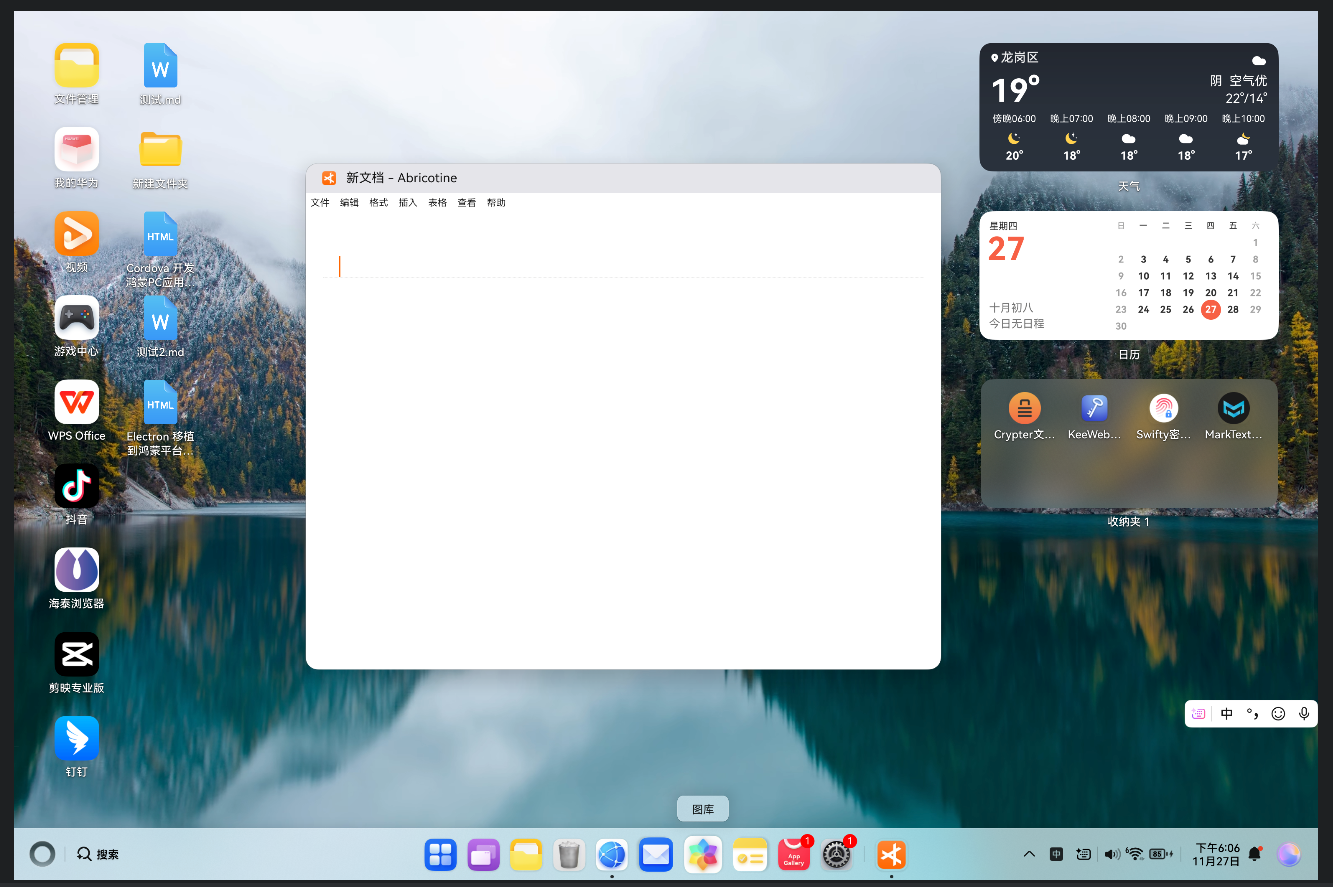
目录
欢迎加入开源鸿蒙PC社区:https://harmonypc.csdn.net/
问题现象与错误分析
1.1 错误信息
应用运行时,控制台出现以下错误:
[HarmonyOS Renderer] Failed to chdir to: /storage/emulated/0/Documents
Error: EPERM: operation not permitted, chdir '/storage/emulated/0/Documents'
错误特征:
- ❌
process.chdir()调用失败 - ❌ 错误代码:
EPERM(权限不足) - ❌ 无法切换工作目录
- ❌ 依赖工作目录的文件操作失败
1.2 问题影响
这个错误会导致:
- ❌ 文件操作失败:依赖工作目录的相对路径操作失败
- ❌ 功能异常:文件打开、保存等功能无法正常工作
- ❌ 用户体验差:应用功能受限,用户无法正常使用
- ❌ 兼容性问题:在 Windows/macOS/Linux 上正常,但在鸿蒙 PC 上失败
1.3 触发场景
以下场景会触发这个错误:
-
打开文件时:
// 原代码 this.setPath(filePath) // 内部调用 process.chdir() // 失败:EPERM 错误 -
保存文件时:
// 原代码 process.chdir(fileDir) // 切换工作目录 // 失败:EPERM 错误 -
文件操作时:
// 原代码
const dir = path.dirname(filePath)
process.chdir(dir)  // 切换工作目录
// 失败:EPERM 错误
根本原因深度分析
2.1 HarmonyOS 文件系统权限模型
根据 HarmonyOS 文件管理文档,HarmonyOS 采用严格的权限模型:
权限限制:
- ✅ 应用沙箱目录:应用可以自由访问自己的沙箱目录
- ⚠️ 用户数据目录:需要用户授权才能访问
- ❌ 系统目录:完全禁止访问
- ❌ 其他应用目录:禁止访问
工作目录限制:
- HarmonyOS 应用的工作目录固定在应用沙箱内
- 不允许切换到应用沙箱外的目录
process.chdir()只能切换到应用有权限的目录
2.2 process.chdir() 的限制
根据 Node.js process.chdir() 文档,process.chdir() 用于更改当前工作目录:
process.chdir('/path/to/directory')
HarmonyOS 的限制:
- ❌ 不能切换到应用沙箱外的目录
- ❌ 不能切换到需要权限的目录(如用户文档目录)
- ✅ 只能切换到应用有权限的目录(如应用数据目录)
2.3 Abricotine 的使用场景
原代码中的使用:
// abr-document.js
setPath: function (path) {
  this.path = path || ""
  if (this.path) {
    var dir = parsePath(this.path).dirname
    if (dir) {
      process.chdir(dir)  // ❌ 在鸿蒙 PC 上会失败
      this.dialogs.setDir(dir)
    }
  }
}
问题分析:
- Abricotine 使用
process.chdir()切换工作目录 - 用户文件通常在
/storage/emulated/0/Documents等目录 - 这些目录需要权限,
process.chdir()无法切换 - 导致文件操作失败
HarmonyOS 文件系统权限模型
3.1 应用沙箱机制
根据 HarmonyOS 应用沙箱文档,HarmonyOS 采用应用沙箱机制:
沙箱目录结构:
/data/storage/el1/bundle/entry/
  ├── files/          # 应用文件目录(可读写)
  ├── cache/         # 缓存目录(可读写)
  ├── temp/          # 临时目录(可读写)
  └── preferences/   # 配置目录(可读写)
权限说明:
- ✅ 应用可以自由访问自己的沙箱目录
- ❌ 应用不能访问其他应用的沙箱目录
- ⚠️ 访问用户数据目录需要权限申请
3.2 文件访问权限
根据 HarmonyOS 文件访问权限文档,文件访问权限分为:
| 目录类型 | 访问权限 | process.chdir() 支持 |
|---|---|---|
| 应用沙箱目录 | ✅ 完全访问 | ✅ 支持 |
| 用户数据目录 | ⚠️ 需要权限 | ❌ 不支持 |
| 系统目录 | ❌ 禁止访问 | ❌ 不支持 |
| 其他应用目录 | ❌ 禁止访问 | ❌ 不支持 |
3.3 工作目录的限制
HarmonyOS 工作目录限制:
- 应用启动时,工作目录设置为应用沙箱目录
process.chdir()只能切换到应用有权限的目录- 切换到需要权限的目录会抛出
EPERM错误
工作目录管理替代方案
4.1 核心思路
既然 process.chdir() 在鸿蒙 PC 上受限,我们需要采用不依赖工作目录的方案:
传统方案(依赖工作目录):
// ❌ 在鸿蒙 PC 上会失败
process.chdir(fileDir)
fs.readFile('./file.txt')  // 使用相对路径
替代方案(使用绝对路径):
// ✅ 在鸿蒙 PC 上正常工作
const filePath = path.join(fileDir, 'file.txt')
fs.readFile(filePath)  // 使用绝对路径
4.2 方案对比
| 方案 | 优点 | 缺点 | 鸿蒙 PC 适用性 |
|---|---|---|---|
| process.chdir() | 简单直观 | 权限限制 | ❌ 不支持 |
| 绝对路径 | 无权限限制 | 需要手动管理路径 | ✅ 完美适配 |
| 路径缓存 | 性能好 | 需要同步 | ✅ 推荐 |
4.3 推荐方案
方案架构:
不使用 process.chdir()
    ↓
使用绝对路径管理
    ↓
缓存当前工作目录
    ↓
所有文件操作使用绝对路径
完整实现方案
5.1 检测 HarmonyOS 平台
首先,需要检测是否运行在 HarmonyOS 平台:
// utils/platform-detector.js

/**
 * 检测是否运行在 HarmonyOS 平台
 */
function isHarmonyOS() {
  // 方式1:检查环境变量
  if (typeof process !== 'undefined' && process.env && process.env.HARMONYOS === 'true') {
    return true
  }

  // 方式2:检查全局变量
  if (typeof window !== 'undefined' && window.__HARMONYOS__ === true) {
    return true
  }

  // 方式3:检查 process.platform
  if (typeof process !== 'undefined' && process.platform) {
    const platform = process.platform.toLowerCase()
    if (platform === 'openharmony' || platform.includes('harmony')) {
      return true
    }
  }

  return false
}

module.exports = { isHarmonyOS }
5.2 工作目录管理器
创建一个工作目录管理器,替代 process.chdir():
// utils/workdir-manager.js

const path = require('path')
const { isHarmonyOS } = require('./platform-detector')

/**
 * 工作目录管理器
 * 在 HarmonyOS 上不使用 process.chdir(),而是缓存工作目录
 */
class WorkDirManager {
  constructor() {
    this.currentDir = process.cwd()  // 初始工作目录
    this.isHarmonyOS = isHarmonyOS()
  }

  /**
   * 设置当前工作目录(不实际切换)
   */
  setCurrentDir(dir) {
    if (!dir) {
      return
    }

    // 规范化路径
    const normalizedDir = path.normalize(dir)

    // 在 HarmonyOS 上,不调用 process.chdir()
    if (this.isHarmonyOS) {
      console.log('[WorkDirManager] HarmonyOS: Setting current dir (cached):', normalizedDir)
      this.currentDir = normalizedDir
      return
    }

    // 在其他平台上,正常切换
    try {
      process.chdir(normalizedDir)
      this.currentDir = normalizedDir
      console.log('[WorkDirManager] Changed working directory to:', normalizedDir)
    } catch (error) {
      console.warn('[WorkDirManager] Failed to chdir:', error.message)
      // 即使失败,也更新缓存
      this.currentDir = normalizedDir
    }
  }

  /**
   * 获取当前工作目录
   */
  getCurrentDir() {
    if (this.isHarmonyOS) {
      return this.currentDir
    }
    return process.cwd()
  }

  /**
   * 解析相对路径为绝对路径
   */
  resolve(relativePath) {
    const currentDir = this.getCurrentDir()
    return path.resolve(currentDir, relativePath)
  }

  /**
   * 获取文件所在目录
   */
  getFileDir(filePath) {
    return path.dirname(filePath)
  }
}

// 创建全局实例
const workDirManager = new WorkDirManager()

module.exports = workDirManager
5.3 Abricotine 适配实现
修改 abr-document.js 中的 setPath 方法:
// abr-document.js

const workDirManager = require('./utils/workdir-manager')

// 修改 setPath 方法
setPath: function (path) {
  this.path = path || ""
  if (this.path) {
    var dir = parsePath(this.path).dirname
    if (dir) {
      // ⚠️ HarmonyOS: 使用工作目录管理器,而不是直接调用 process.chdir()
      workDirManager.setCurrentDir(dir)
      this.dialogs.setDir(dir)
    }
  }
}
5.4 文件操作适配
所有使用相对路径的文件操作,都需要改为使用绝对路径:
// files.js

const workDirManager = require('./utils/workdir-manager')

// 修改文件读取函数
readFile: function(filePath, callback) {
  // 如果是相对路径,转换为绝对路径
  let absolutePath = filePath
  if (!path.isAbsolute(filePath)) {
    absolutePath = workDirManager.resolve(filePath)
  }

  // 使用绝对路径读取文件
  fs.readFile(absolutePath, 'utf-8', function(err, data) {
    if (err) {
      console.error('[Files] Error reading file:', err)
      if (callback) callback(null, absolutePath)
      return
    }

    if (callback) callback(data, absolutePath)
  })
}
最佳实践与注意事项
6.1 路径管理最佳实践
推荐做法:
// ✅ 好:始终使用绝对路径
const absolutePath = path.resolve(workDir, relativePath)
fs.readFile(absolutePath, callback)

// ❌ 不好:依赖工作目录
process.chdir(workDir)
fs.readFile(relativePath, callback)
6.2 错误处理
添加完善的错误处理:
setPath: function (path) {
  this.path = path || ""
  if (this.path) {
    var dir = parsePath(this.path).dirname
    if (dir) {
      try {
        workDirManager.setCurrentDir(dir)
        this.dialogs.setDir(dir)
      } catch (error) {
        console.error('[Document] Failed to set working directory:', error)
        // 即使失败,也更新对话框目录
        this.dialogs.setDir(dir)
      }
    }
  }
}
6.3 兼容性处理
确保代码在标准平台和鸿蒙 PC 上都能正常工作:
// 使用工作目录管理器,自动处理平台差异
workDirManager.setCurrentDir(dir)  // 自动适配不同平台
常见问题解答
Q1: 为什么不能使用 process.chdir()?
A: HarmonyOS 的文件系统权限模型限制了 process.chdir() 的使用。应用只能切换到应用有权限的目录,不能切换到需要权限的用户数据目录。
Q2: 工作目录管理器会影响性能吗?
A: 不会。工作目录管理器只是缓存目录路径,不涉及文件系统操作,性能开销可以忽略不计。
Q3: 如何确保路径正确?
A: 使用 path.resolve() 和 path.normalize() 规范化路径,确保路径格式正确。
Q4: 是否需要修改所有文件操作代码?
A: 是的。所有使用相对路径的文件操作都需要改为使用绝对路径,或者通过工作目录管理器解析。
总结与展望
8.1 核心要点总结
通过本文的深入分析,我们了解到:
- process.chdir() 的限制:在鸿蒙 PC 上受到权限限制,不能切换到用户数据目录
- 替代方案:使用工作目录管理器缓存目录,所有文件操作使用绝对路径
- 最佳实践:规范化路径管理,确保代码在所有平台上都能正常工作
8.2 技术价值
这个解决方案不仅解决了 process.chdir() 权限问题,还带来了以下好处:
- ✅ 更好的兼容性:代码在所有平台上都能正常工作
- ✅ 更清晰的路径管理:使用绝对路径,路径更清晰
- ✅ 更好的错误处理:完善的错误处理机制
- ✅ 可复用到其他应用:通用解决方案
相关资源
Node.js 官方文档:
HarmonyOS 官方文档:

赋能鸿蒙PC开发者,共建全场景原生生态,共享一次开发多端部署创新价值。
更多推荐
 4
4 0
0- 0


 已为社区贡献17条内容

所有评论(0)