Electron&OpenHarmony 跨平台实战开发:ESM 与 CommonJS 兼容踩坑记 PC适配
·
背景
在构建 Electron + OpenHarmony 跨平台桌面应用的过程中,我们希望引入 ES Module(ESM)语法来提高可维护性,于是自然地在 main.js 写下了: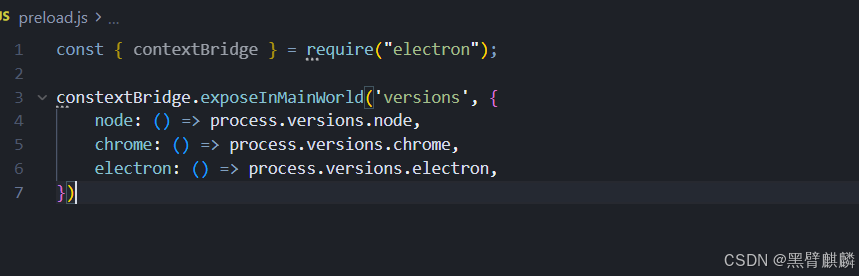
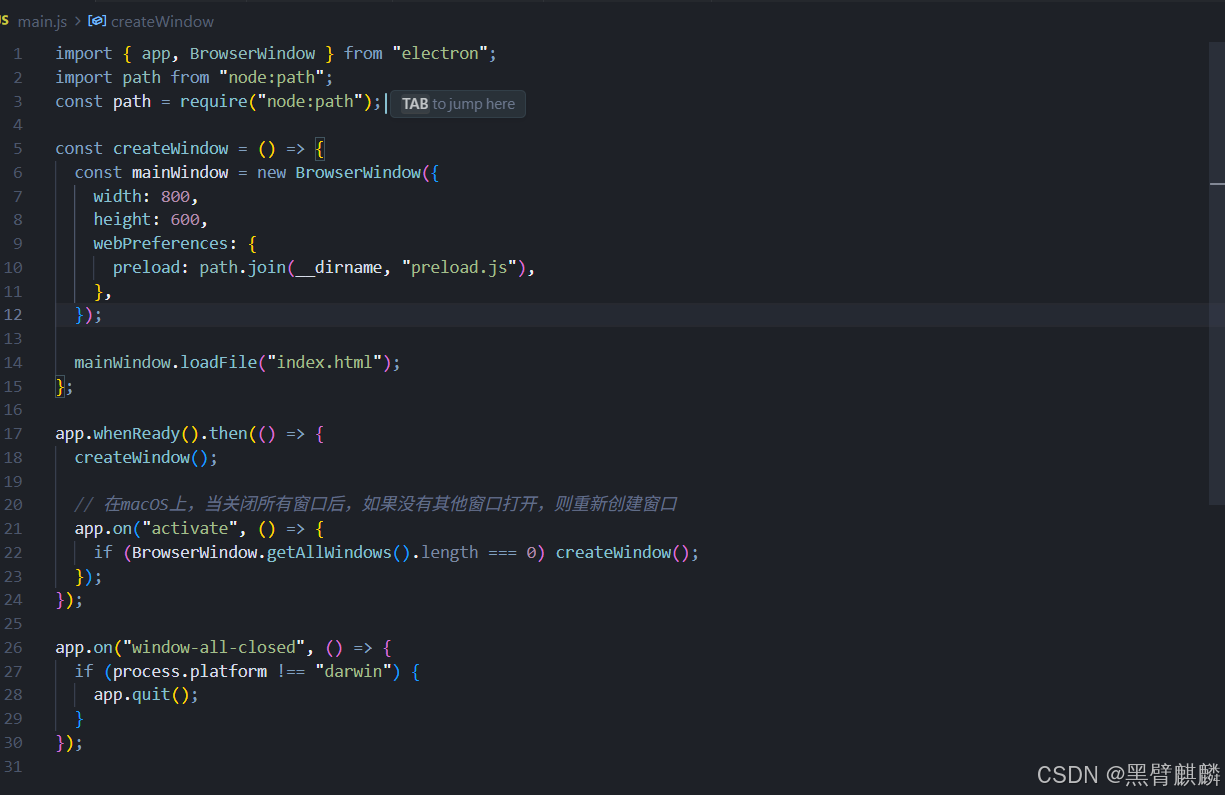
然而应用启动后,控制台立刻报错:
ReferenceError: require is not defined in ES module scope, you can use import instead
紧接着,又出现第二个错误:
ReferenceError: __dirname is not defined
本文记录整个排查与修复过程,帮助你快速定位类似问题。
现象与日志
启动命令:
yarn run start
完整日志:
App threw an error during load
ReferenceError: require is not defined in ES module scope, you can use import instead
    at file:///D:/code/PC_Harmony_electron/my-electon-app/main.js:3:14
...
(node:23784) [MODULE_TYPELESS_PACKAGE_JSON] Warning: Module type of .../main.js is not specified and it doesn't parse as CommonJS.
...
ReferenceError: __dirname is not defined
    at createWindow (file:///D:/code/PC_Harmony_electron/my-electon-app/main.js:9:26)
这说明:
- Electron 用 ESM 方式解析
main.js,因此require、module、__dirname均不可用。 package.json没声明"type": "module",导致 Node 先按 CommonJS 解析又回退到 ESM,触发[MODULE_TYPELESS_PACKAGE_JSON]警告。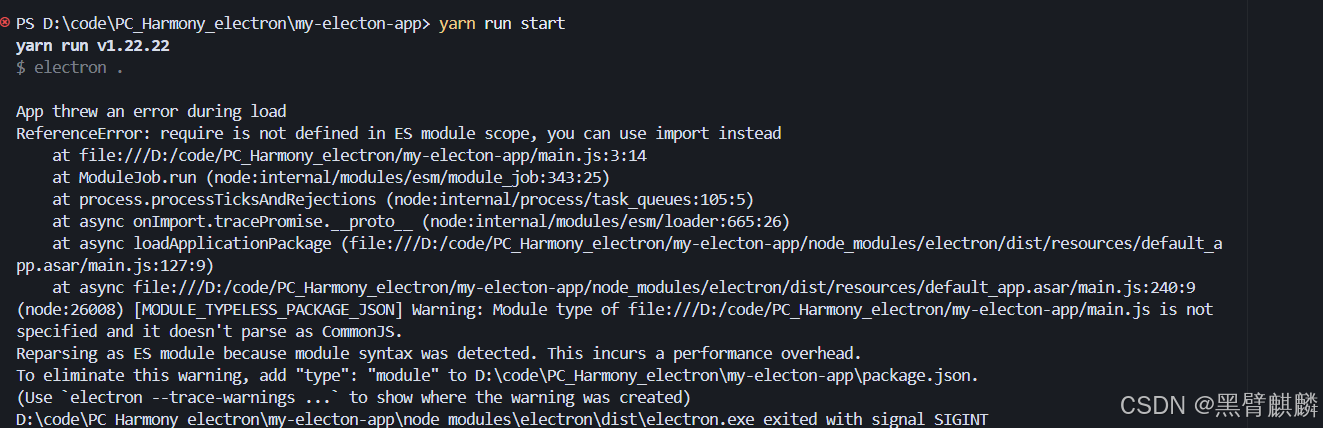
根因分析
| 触发条件 | 结果 | 影响 |
|---|---|---|
文件顶部使用 import |
Node 判定为 ESM | require/module.exports 不可用 |
仍保留 const path = require("node:path") |
抛出 require is not defined |
应用无法启动 |
在 ESM 中使用 __dirname |
抛出 __dirname is not defined |
preload 路径无法计算 |
package.json 未声明 "type" |
[MODULE_TYPELESS_PACKAGE_JSON] |
性能下降 + 噪音日志 |
综上,同一文件不能同时混用 ESM 与 CommonJS。需要在两种模式中选择其一。
解决方案
方案 A:回退到 CommonJS(快速稳定)
- 将
main.js改为全require写法:const { app, BrowserWindow } = require("electron"); const path = require("node:path"); - 保持
package.json不变(默认 CommonJS)。
优点: 操作最少;兼容既有教程和插件。
缺点: 失去原生 import/export 语法与 Top-Level Await 等特性。
方案 B:拥抱 ESM(推荐长期使用)
- 在
package.json顶层声明:{ "type": "module", "main": "main.js", ... } - 用 ESM 方式计算
__dirname:import { fileURLToPath } from "node:url"; const __filename = fileURLToPath(import.meta.url); const __dirname = path.dirname(__filename); - 全面使用
import/export,不再写require。
优点: 对齐现代 Node/Electron 生态,利于共享前端工具链。
显性成本: 需要改写旧模块导入方式,第三方 CommonJS 模块需借助动态 import() 或 createRequire。
实际修改示例(方案 B)
import { app, BrowserWindow } from "electron";
import path from "node:path";
import { fileURLToPath } from "node:url";

const __filename = fileURLToPath(import.meta.url);
const __dirname = path.dirname(__filename);
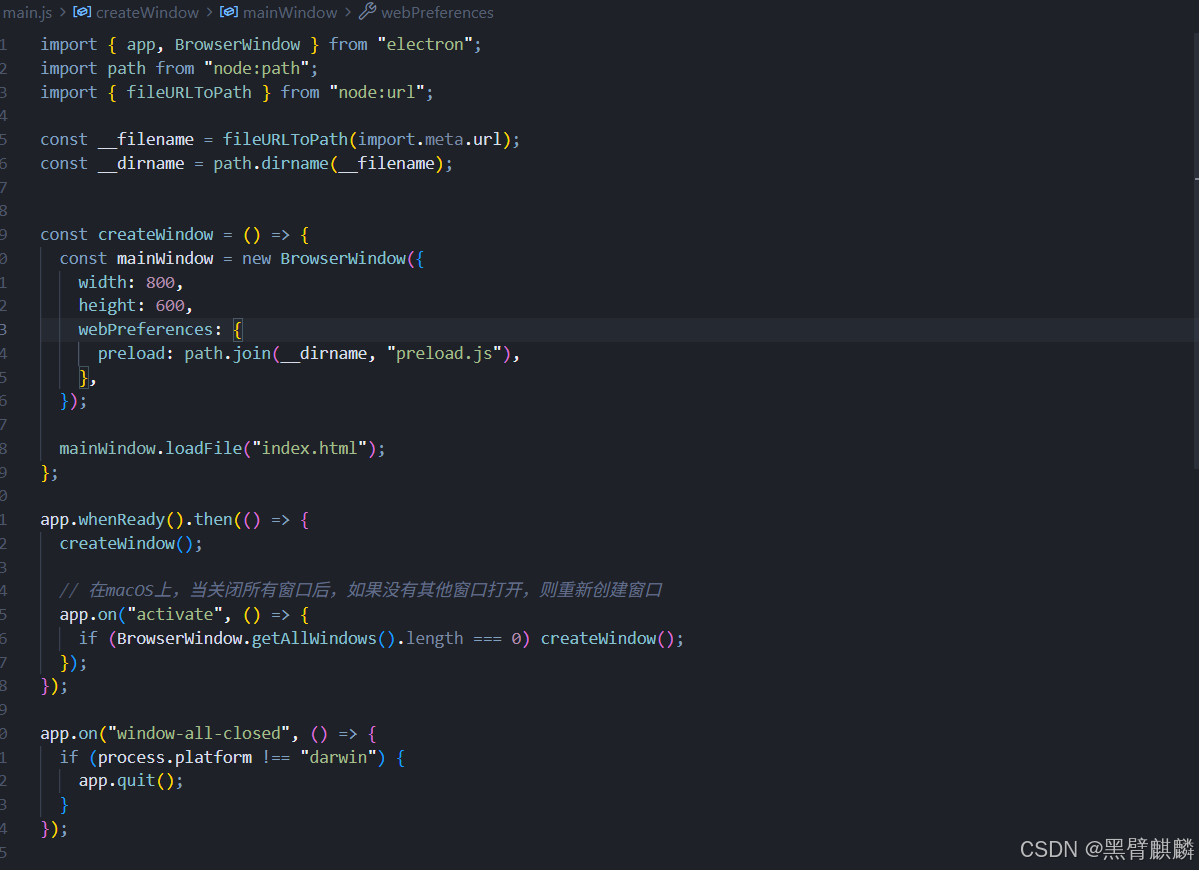
完成后再次运行 yarn run start,应用成功加载,警告消失。
经验总结
- 项目初期就确定模块体系,避免 ESM/CommonJS 混写。
- Electron 主进程与渲染进程要保持一致的模块策略,否则打包工具容易踩雷。
- 若要引入 CommonJS 包(如一些旧版插件),可使用:
import { createRequire } from "node:module"; const require = createRequire(import.meta.url); - 遇到 MODULE_TYPELESS_PACKAGE_JSON 警告,优先在
package.json中显式声明"type"。
参考资料
欢迎加入开源鸿蒙PC社区:https://harmonypc.csdn.net/

赋能鸿蒙PC开发者,共建全场景原生生态,共享一次开发多端部署创新价值。
更多推荐
 20
20 0
0- 0


 已为社区贡献5条内容

所有评论(0)